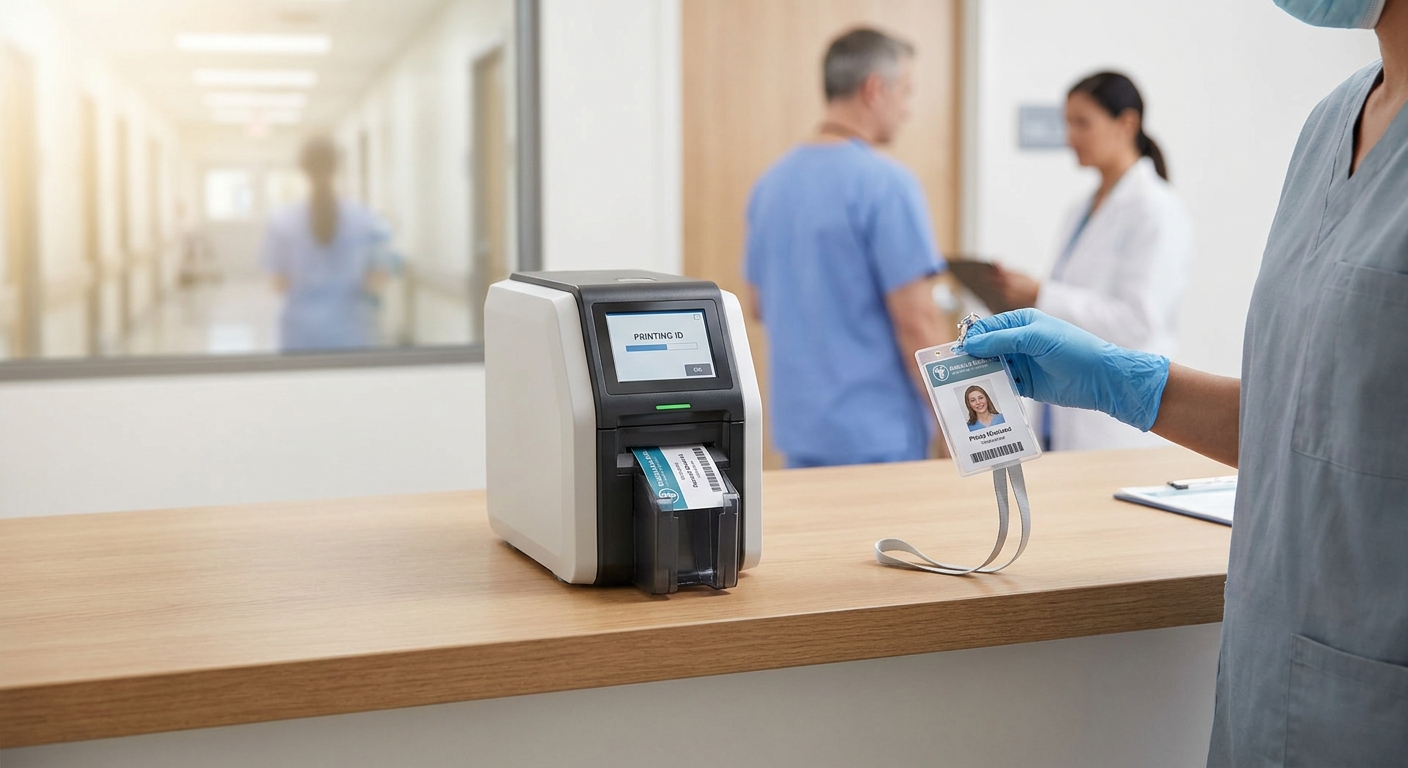
Hospitals, clinics, and outpatient centers can't run a badge printer built for a corner office. Staff IDs double as access credentials, get wiped down with disinfectant daily, and need reissuing constantly as employees rotate through units — this guide covers what a badge printer for healthcare facilities actually needs to do in 2026 and which printers hold up.
- Magicard 250X ID Card Printer at $1,349 is the safe buy for single-sided staff badges in 2026.
- Add a Bodno A-Series Smart Card Encoder ($699) when badges also open doors.
- Skip printers with no encoding path if the facility runs card-based access control.
- Match ribbons to the exact printer model — a $64.99 Magicard CN100 ribbon only runs in Magicard 250X printers.
Who this buying guide is for
This is for facilities managers, IT admins, and HR leads at hospitals, urgent care groups, outpatient surgery centers, and clinic networks who issue staff, physician, volunteer, and visitor badges on-site. If badges at your facility also unlock doors, clock in shifts, or link to an EHR login, the printer decision isn't just about photo quality — it's about which encoding modules the hardware supports. Browse Bodno's ID card printer lineup before locking in a model, since supply availability and ribbon compatibility vary by printer family.
What to look for in a badge printer for healthcare facilities
Single-sided vs. dual-sided printing
Most staff badges only need a photo, name, and department on the front, which makes single-sided printing enough for many clinics. Facilities that print barcodes, mag stripes, or department color-coding on the back need dual-sided hardware, and buying single-sided when you need dual-sided means a second printer purchase within a year.
Encoding support for access control
A badge that only shows a photo does nothing at a door reader or time clock. If security ties badge access to doors or the time-and-attendance system runs off card swipes, the printer needs a smart card encoder or magnetic stripe module built in or added on — not an afterthought.
Print resolution and daily reissue volume
Healthcare badges get replaced more often than office badges — lost lanyards, new hires, contract staff rotations. A 300 dpi print head handles standard photo ID work fine; higher-turnover departments should weigh how fast a printer reloads ribbon and resumes printing after a jam.
Ribbon cost and compatibility
Ribbons are printer-specific. A Magicard CN100 ribbon at $64.99 only works in a Magicard 250X — it won't load into a Fargo or Seaory printer. Budget for ribbon as a recurring cost, not a one-time purchase, and confirm ribbon availability before committing to a printer family.
Support response time
When a badge printer goes down at a hospital, staff can't badge into secure units or clock in. Facilities running access-control-linked badges should weigh vendor support responsiveness as heavily as sticker price — a printer that's $200 cheaper but takes a week to get parts costs more in downtime.
Encoding module upgrade path
Even if your facility doesn't encode badges today, confirm the printer platform supports adding a smart card or magstripe module later. Healthcare access-control systems change vendors and expand scope more often than the printer hardware itself.
Top picks for healthcare badge printing
Magicard 250X ID Card Printer — the safe pick. Single-sided, 300 dpi, priced at $1,349 in 2026. This is the printer to default to for clinics and outpatient offices printing straightforward staff and visitor badges without heavy encoding needs. Buy if your facility prints photo IDs without access-control encoding built into the card.
Bodno A-Series Smart Card Encoder (OmniKey 5127CK) — the access-control add-on. Priced at $699, this module handles contact and contactless smart cards on the Bodno A-Series platform, which matters for facilities running secure door access or advanced credentialing. Buy if badges double as door credentials; skip if your facility has no smart-card access system.
Bodno A-Series Magnetic Stripe Encoder Module — the swipe-badge option. At $499, this add-on covers magstripe encoding for time-and-attendance systems or legacy access readers that still rely on swipe rather than tap. Consider this over the smart card encoder specifically when your existing access hardware reads magstripe, not proximity or contactless.
Magicard CN100 Color Ribbon — the consumable that decides your real cost. At $64.99, this ribbon is built specifically for the Magicard 250X and delivers the color output for photo badges. Buy matching ribbon stock alongside the printer — running out mid-week at a hospital badge desk isn't a minor delay when new hires can't get access credentials.


What to avoid
- Consumer-grade photo printers with no encoding path. They print a fine photo badge but can't add a smart card or magstripe module later, which forces a full replacement the moment access control expands.
- Off-brand ribbons that claim universal fit. Ribbon chemistry and spool design are printer-specific; a ribbon that isn't rated for your exact model can jam the feed and void print head coverage.
- Buying encoding modules before confirming your access-control vendor's card format. A magstripe encoder does nothing for a facility whose door readers are contactless smart card only, and vice versa.
Verdict comparison
| Pick | Best for | 2026 Price | Verdict |
|---|---|---|---|
| Magicard 250X ID Card Printer | Straightforward staff/visitor badges | $1,349 | Buy |
| Bodno A-Series Smart Card Encoder | Door access, contactless credentials | $699 | Buy for access-control facilities |
| Bodno A-Series Magnetic Stripe Encoder | Swipe-based time & attendance | $499 | Consider |
| Magicard CN100 Color Ribbon | Ongoing supply for Magicard 250X | $64.99 | Buy alongside printer |
Why this matters
A badge printer that's mismatched to your access-control system creates a two-step workaround — print the badge, then walk it to a separate encoding station. That's an extra device, an extra vendor relationship, and an extra point of failure in a building where badges gate entry to secure units. Getting the encoding decision right at purchase time in 2026 avoids a second hardware purchase within the year.
FAQ
What's the best badge printer for a hospital?
The Magicard 250X ID Card Printer at $1,349 covers standard single-sided staff and visitor badges for most hospitals and clinics in 2026. Facilities needing door-access encoding should pair it with a smart card or magstripe module rather than looking for an all-in-one unit.
Do healthcare badge printers need to be HIPAA compliant?
The printer hardware itself isn't a HIPAA-covered system, but the badge design software and any patient data touching the print job should follow your facility's data-handling policy. Keep printer access limited to authorized staff to avoid unmanaged badge duplication.
Is a dual-sided printer worth it for a clinic?
Dual-sided printing is worth it only if the back of the badge carries a barcode, magstripe, or second-language text. A clinic printing simple photo IDs with no back-side data gets no benefit from paying more for dual-sided hardware.
How much does a smart card encoder add to printer cost?
A Bodno A-Series Smart Card Encoder (OmniKey 5127CK) runs $699 as an add-on in 2026. That's on top of the base printer price, and it's only necessary if badges tie into contact or contactless door access.
Can I use any ribbon in a Magicard printer?
No — ribbons are printer-specific. The Magicard CN100 Color Ribbon at $64.99 is built for the Magicard 250X specifically and won't fit or run correctly in other printer families.
How often do hospital badge printers need ribbon replacement?
Replacement frequency depends on badge volume, not a fixed schedule — high-turnover facilities issuing dozens of badges daily burn through ribbon faster than a small clinic reissuing a handful per week. Track ribbon usage against your reissue volume rather than guessing on a calendar.
What's the difference between magstripe and smart card encoding for badges?
Magstripe encoding writes data to a swipe-style stripe, common in older access and time-clock systems, while smart card encoding uses a chip for tap or contactless reads. Match the encoder to whatever your door readers and time clocks already use — mixing formats means the badge won't work at the reader.
One last thing
The most common badge printer failure in healthcare settings isn't the printer — it's a ribbon mismatch. Staff order a ribbon that looks close enough, it jams the feed mechanism, and the printer sits down for days while a replacement part ships. Confirm the exact ribbon model against your printer before every reorder in 2026, not just the first time.